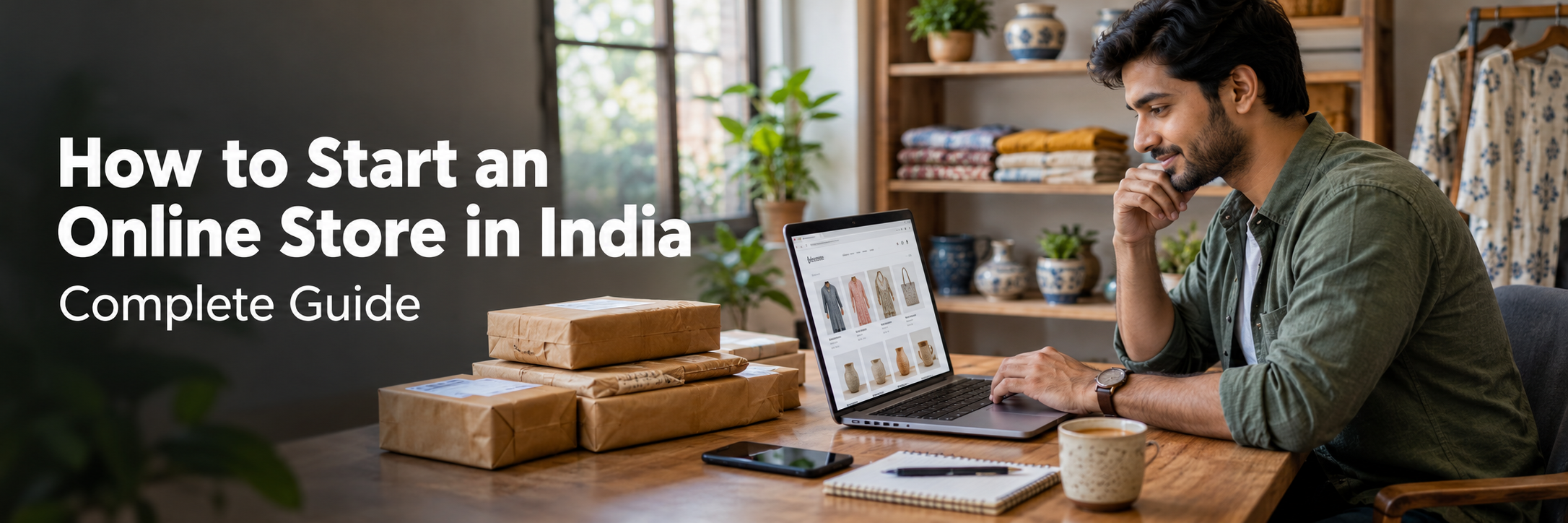
How to Start an Online Store in India: Complete Guide
Quick Answer: To start an online store in India, choose a product niche, validate demand, and pick a business model. Complete the registrations that apply to your business, then build a store or join a marketplace. Set up payment gateways and shipping, add clear product pages, test everything, and promote through SEO, social media, and ads.
India has hundreds of millions of internet users, and more shoppers now compare, pay, and order from a phone. That opens real opportunities for small brands, wholesalers, manufacturers, and local retailers. It also means more competition.
This guide explains the full process in plain language. It covers products, registrations, platforms, payments, shipping, marketing, and security. It is educational and vendor-neutral. Rules, fees, and platform terms change, so always confirm current details with official sources.
How Do You Start an Online Store in India?
You start by choosing what to sell and confirming that people want it. Then you choose a business model, complete the registrations that apply to you, set up a sales channel, and connect payments and shipping.
The sales channel can be your own website, a marketplace such as Amazon India or Flipkart, or both. After launch, you promote the store and track results.
Starting is the easier part. Running a store that earns a steady profit takes careful pricing, cash flow control, and patient customer building. No guide can promise sales, so treat every step as a decision backed by your own research.
How to Start an Online Store in India: Step-by-Step Guide
Step 1: Choose What You Want to Sell
Begin with products you can source reliably and explain well. Think about a clothing label that works with local weavers, a home decor brand using handmade pieces, or a seller of phone accessories buying from wholesalers.
Check four things: demand, competition, margins, and shipping. A product that is fragile, heavy, or often returned can cost more to deliver than it earns. Some categories also carry extra legal duties, which you will see in Step 5.
Step 2: Research Your Market and Target Customers
Define who will buy. Consider age, city or town, budget, language, and the problem your product solves. A budget electronics accessory buyer in a smaller city shops differently from a premium skincare buyer in a metro.
Study competitors on marketplaces and independent sites. Read their reviews to learn what customers like and dislike. Use Google search suggestions and marketplace listings to judge demand. Before you invest heavily, test interest with a small batch, a pre-order, or a social media post.
Step 3: Choose the Right E-commerce Business Model
Your business model decides how much money you need upfront and how much control you keep. Common models include inventory-based selling, dropshipping, private labeling, manufacturing your own goods, and print-on-demand.
- Inventory-based selling: you buy stock from wholesalers and ship it yourself. You control quality but tie up cash.
- Dropshipping: a supplier ships orders for you. Setup cost is lower, but you depend on the supplier for quality and speed.
- Private labeling: you sell products made by a manufacturer under your own brand.
- Manufacturing: you make the product yourself, which gives the most control and the most operational work.
- Print-on-demand: items such as T-shirts or mugs are printed after an order arrives.
You also choose where to sell. The table below compares the main routes.
| Model | Initial Setup Considerations | Advantages | Limitations | Best Suited For |
|---|---|---|---|---|
| Independent e-commerce website | Platform, domain, design, payments, shipping setup | Full brand control, direct customer data, flexible marketing | You must bring your own traffic and manage the technology | Brands building long-term customer relationships |
| Marketplace selling | Seller account, documents, catalog listing | Existing shopper traffic, faster start, built-in logistics options | Platform fees, strict rules, price competition, limited branding | New sellers testing demand quickly |
| Social commerce | Business profiles, catalog tools, chat and payment links | Low setup effort, personal customer contact | Hard to scale, manual order handling, platform dependence | Home businesses and handmade or boutique sellers |
| Hybrid selling model | Website plus marketplace and social channels | Wider reach with a brand home base | More inventory and order syncing work | Growing businesses with stable operations |
Step 4: Select a Business Name and Build Your Brand
Pick a name that is short, easy to spell, and easy to say aloud. Check that the matching domain name and social handles are available. Search the IP India trademark records to avoid names that are already in use in your category. If you plan to build a long-term brand, a trademark attorney can advise on registration.
Brand identity goes beyond a logo. Choose consistent colors, fonts, tone of voice, and packaging style. Customers trust brands that look and sound the same everywhere.
Step 5: Understand Business Registration and Legal Requirements
Many sellers start as a sole proprietorship because it is simple. Others choose a partnership, a Limited Liability Partnership (LLP), or a private limited company. Each structure differs in liability, compliance effort, taxation, and ease of raising funds. The Ministry of Corporate Affairs (MCA) explains company and LLP registration on its official portal.
Beyond structure, you may need a PAN, a business bank account, and tax registrations. Some product categories need their own approvals. Food businesses deal with FSSAI. Cosmetics fall under drug and cosmetic regulations. Some electronics need BIS certification. Packaged goods are subject to Legal Metrology labeling rules, and e-commerce sellers must follow the Consumer Protection (E-Commerce) Rules.
Rules depend on your product, turnover, and selling model. Confirm them with the relevant authority and a qualified professional. The table below is a starting checklist, not legal advice.
| Requirement or Registration | When It May Apply | Purpose | Important Considerations |
|---|---|---|---|
| Business structure | When you start operating as a business | Defines liability, ownership, and compliance duties | Compare proprietorship, partnership, LLP, and company with a professional |
| PAN | Needed for most tax and bank processes | Identifies the taxpayer | The PAN type depends on your structure |
| Business bank account | When you receive customer payments | Keeps business money separate and supports gateway onboarding | Gateways and marketplaces usually require account verification |
| GST registration | Depends on turnover, state, product, and selling model | Allows tax collection and proper invoicing | Special rules can apply to e-commerce sellers; check the GST portal |
| Udyam registration | For eligible micro, small, and medium enterprises | Official MSME recognition | Not required for every online seller; check eligibility on the Udyam portal |
| Consumer protection and e-commerce rules | When selling goods or services to consumers online | Protects buyers and sets disclosure duties | Display seller details, prices, return and refund terms clearly |
| Product-specific licenses | Food, cosmetics, certain electronics, and other regulated goods | Ensures safety and legal sale | Check FSSAI, BIS, CDSCO, or other regulators as relevant |
| Legal Metrology compliance | Pre-packaged goods | Requires correct labeling declarations | Review the current rules for your product |
| Trademark | When building a brand | Protects your brand name and logo | Apply through IP India after a search |
Step 6: Understand GST Registration and Tax Requirements
Goods and Services Tax (GST) is India's indirect tax. Whether you must register depends on your turnover, your state, what you sell, whether you sell within or across states, and how you sell. Marketplace sellers and independent website sellers can face different obligations. Some exemptions and special rules exist, and they change from time to time.
If you register, you generally need to issue proper GST invoices, file returns, and charge the right tax rate for your product. Marketplaces may also collect tax at source from sellers under specific rules. Read the official GST portal for current thresholds, rates, and procedures. A chartered accountant or tax professional can confirm what applies to your situation.
Step 7: Choose an E-commerce Platform
Your platform is the system that shows products, takes orders, and manages customers. The right choice depends on your budget, technical skill, and growth plans. Third-party features, eligibility rules, and charges change, so check each official website for current terms.
| Option | Setup Complexity | Customization | Cost Considerations | Maintenance Responsibility | Suitable Use Case |
|---|---|---|---|---|---|
| Shopify | Low to moderate | Good through themes and apps, limited at the core | Subscription plus app and transaction charges; check current pricing | Platform handles hosting and core updates | New brands wanting a quick, managed launch |
| WooCommerce on WordPress | Moderate | High through plugins and code | Hosting, theme, plugins, and developer time | You manage hosting, updates, security, and backups | Content-led stores and sellers who want control |
| Custom-built e-commerce website | High | Very high | Higher upfront development and ongoing support | You or your development partner | Complex catalogs, special workflows, and deep integrations |
| Marketplaces such as Amazon India and Flipkart | Low to moderate | Limited to platform templates | Fees, commissions, and shipping charges set by the platform | Platform manages the storefront; you manage listings and orders | Sellers wanting fast access to existing shoppers |
Step 8: Buy a Domain Name and Set Up Hosting
Choose a domain that matches your brand, is short, and avoids hyphens and numbers. A .com or .in extension is common for Indian stores. Set up a professional email address on the same domain, since customers trust it more than a free email account.
Hosted builders such as Shopify include hosting. With WooCommerce or custom builds, you choose hosting. Cloud hosting can scale with traffic and handle seasonal peaks better than basic shared plans. Pick a provider with good uptime, regular backups, and servers that serve Indian visitors quickly.
Step 9: Design Your Online Store and Improve User Experience
Most Indian shoppers browse on mobile, so design for small screens first. Keep navigation simple, search fast, and checkout short. Show prices, delivery estimates, and return terms clearly.
Consider offering regional language support if your customers are not mainly English readers. Test page speed with Google PageSpeed Insights and watch Core Web Vitals, which measure loading, interactivity, and visual stability. Slow pages lose shoppers.
Step 10: Add Products, Images, and Descriptions
Good product pages answer buyer questions before they ask. Use clear photos from several angles, show the product in use, and include size, material, and care details. Write descriptions in simple language and avoid copying supplier text word for word.
Use a product catalog with consistent names, categories, and variants. Track stock levels so you do not sell items you cannot ship. Set prices only after you count product cost, packaging, shipping, payment fees, returns, and marketing. Mandatory declarations, such as weight or net quantity, ingredients, or manufacturer details, may need to appear for some products.
Step 11: Set Up Online Payments
Connect a payment gateway so customers can pay by UPI, cards, net banking, and wallets where supported. Razorpay, Cashfree Payments, and PayU are widely used in India. Each has its own onboarding documents, fees, and settlement timelines, so compare their official documentation.
Many shoppers still prefer cash on delivery. It can raise order volume, but it also increases failed deliveries and return costs. Consider limiting it by region or order value if losses grow. The payment section later in this guide explains how the flow works.
Step 12: Arrange Shipping, Packaging, and Fulfillment
Decide who delivers. Options include direct courier partners, shipping aggregators that compare several carriers, third-party logistics providers, and marketplace fulfillment programs. Compare pin code coverage, delivery speed, cash on delivery remittance, and return-to-origin charges.
Packaging protects the product and shapes the first impression. Use sturdy boxes for fragile goods and tamper-evident seals for beauty or food items. Send order confirmations and tracking links automatically, since customers worry most between payment and delivery.
Step 13: Create Essential Website Pages and Store Policies
Trust pages help shoppers decide. Add an About page, a Contact page with a working phone number or email, a Shipping Policy, a Returns and Refund Policy, Terms and Conditions, and a Privacy Policy. Make cancellation and refund rules easy to find. The e-commerce rules expect clear seller and grievance details, so confirm current requirements.
Step 14: Secure Your Online Store
Security protects both customers and your business. The full checklist appears in the security section below, but at minimum you need HTTPS, strong admin passwords, and regular updates before launch.
Step 15: Test Your Store Before Launching
Place several test orders using each payment method and each shipping option. Check emails, invoices, taxes, discount codes, and refund flows. Open the store on different phones and browsers. Ask a few friends to buy something and tell you where they got confused. Fix problems before real customers find them.
Step 16: Launch and Promote Your Online Store
Launch with a clear plan. Announce to friends, existing customers, and social followers. Offer a modest introduction offer if your margins allow. Set up Google Search Console so Google can find your pages. If you sell physical products, consider Google Merchant Center so products can appear in free and paid shopping results. A local shop with a physical address can also use Google Business Profile.
Step 17: Track Performance and Improve Conversions
Install Google Analytics and conversion tracking. Watch the numbers that show business health, not only visitor counts.
- Conversion rate: the share of visitors who buy.
- Average order value: how much a typical order is worth.
- Customer acquisition cost: what you spend to win one customer.
- Cart abandonment rate: how many shoppers leave before paying.
- Return rate: how often products come back.
- Repeat purchase rate: how many customers buy again.
Change one thing at a time, such as a product photo or checkout step, and measure the effect.
What Do You Need Before Starting an Online Store?
You need a product, a target customer, a supply source, a business model, and the registrations that apply to your case. You also need a bank account for business payments and enough cash to cover inventory, shipping, and the early months of marketing.
On the practical side, prepare your product photos, descriptions, pricing sheet, and basic policies. Decide who will handle customer messages, packing, and returns. A small team, or even one person, can start, but every task needs an owner.
Do You Need GST Registration to Sell Online in India?
Sometimes yes, sometimes no. It depends on your turnover, state, product type, and how you sell. Special rules can apply to people who supply goods through e-commerce operators, and exemptions may apply in certain cases.
Do not rely on a single universal threshold you read in a blog post. Check the official GST portal, and confirm with a qualified tax professional. Explain your selling model, such as marketplace only or your own website, because the answer can differ. Even if you are not yet required to register, some sellers register voluntarily for credibility or supplier reasons, which is a business decision to discuss with an accountant.
How Do You Choose the Right Products to Sell Online?
Choose products with proven demand, manageable competition, reliable sourcing, and healthy margins after all costs. Start with a narrow niche instead of a broad catalog.
Test demand before buying large stock. Check search interest, marketplace reviews, and social media conversations. Order samples to judge quality. Confirm that the product does not need special approval you cannot obtain. A smaller range, sold well, usually works better than hundreds of unproven items.
Which Platform Is Best for Starting an Online Store?
No platform is best for everyone. Hosted builders like Shopify suit beginners who want speed. WooCommerce suits sellers who want control and can handle upkeep. Custom development suits complex needs. Marketplaces suit sellers who want immediate traffic.
Ask yourself three questions. How much technical work can you handle? How much control over branding and data do you need? How fast do you want to start? Your answers usually point to the right option. You can also move later, so avoid delaying a launch because you fear a wrong choice.
Custom E-commerce Website vs Hosted Store Builder vs Marketplace
A hosted store builder gives you a ready system with limited changes. A custom website gives you exactly the features you need, but it costs more and takes longer. A marketplace gives you traffic, but you follow its rules and fees.
Many sellers begin on a marketplace to test products, then add a hosted store to build their own brand and customer list. Larger businesses with special pricing, complex catalogs, or ERP and CRM needs may eventually move to custom development. The right path is the one that fits your stage of growth.
How Much Does It Cost to Start an Online Store in India?
The cost can range from very low for a social or marketplace start to substantial for a custom platform with large inventory. No single figure fits everyone. Your product category, inventory approach, platform, integrations, and marketing plan shape the total.
Also separate starting from earning. A store may launch cheaply and still lose money if shipping, returns, and ad costs are poorly managed. The table below shows cost categories with relative levels. These are illustrative only. Get current quotes and check official pricing pages before budgeting.
| Cost Category | Type | Relative Cost Level | Notes |
|---|---|---|---|
| Domain name | Recurring, usually yearly | Low | Price varies by extension and registrar |
| Hosting or platform subscription | Recurring | Low to medium | Hosted builders charge subscriptions; WooCommerce needs hosting |
| Website design and development | Mostly one-time | Low to high | Themes cost less; custom builds cost more |
| Product photography and content | One-time and ongoing | Low to medium | Grows with catalog size |
| Business registration and professional consultation | One-time and periodic | Low to medium | Depends on structure and advisor |
| Payment gateway charges | Per transaction | Variable | Rates and terms differ by provider; check official pages |
| Packaging and shipping | Per order | Medium | Weight, distance, and returns affect cost |
| Marketing | Recurring | Medium to high | Often the biggest ongoing expense |
| Inventory | Upfront and recurring | Medium to high | Low with dropshipping or print-on-demand |
| Ongoing maintenance | Recurring | Low to medium | Updates, security, backups, and support |
How Do Online Payments Work in India?
When a customer pays, the payment gateway securely collects the payment details and sends them to the bank or UPI network. The bank approves or rejects the payment, and the gateway tells your store. The money is then settled to your bank account after the gateway's settlement period.
UPI, managed by NPCI, is one of the most popular methods in India. Cards, net banking, and wallets are other options. The Reserve Bank of India (RBI) sets rules for payment aggregators and card data handling, so use a licensed, reputable provider and read its official documentation.
How Do Online Payments and Delivery Work Together?
A typical order flows in a clear sequence. The customer places an order, pays through the gateway, and your store confirms the order. Your order system sends the details to the warehouse or courier, which picks up the parcel. The customer receives tracking updates until delivery.
Shipping API integrations can automate label creation and tracking. Automated invoices and notifications reduce manual work and mistakes. Cash on delivery adds a step because the courier collects money and passes it to you later, which can delay your cash flow.
How Do You Manage Shipping, Returns, and Refunds?
Set clear rules and follow them. State delivery timelines honestly, explain who pays for return shipping, and describe how long refunds take. Customers trust stores that explain these points before they buy.
Track failed deliveries and returns, since each one costs you shipping twice. Reduce them with accurate product photos, correct size guides, and address checks. Respond to refund requests quickly and politely. A calm, fair return process often turns a disappointed buyer into a repeat customer.
How Do You Get Customers for Your Online Store?
You get customers by being easy to find and easy to trust. Use search engine optimization, useful content, social media, email, and carefully tested paid ads.
Start with one or two channels instead of everything at once. Measure results, then expand. No marketing method guarantees sales, so test small and learn what your customers respond to.
How Do You Market an Online Store in India?
Match the channel to your customer. A fashion brand may do well on Instagram. A kitchen appliance seller may gain more from search and marketplace ads. A food brand may rely on reviews and local communities.
- Content marketing: write guides and product tips that answer buyer questions.
- Social media: show real products, customer photos, and behind-the-scenes stories.
- Email: collect addresses with permission and send useful updates, not constant discounts.
- Paid advertising: start small, track cost per sale, and stop what does not work.
- WhatsApp and messaging: useful for order updates and support when customers have agreed to receive messages.
- Reviews and referrals: ask satisfied customers to share feedback.
SEO for Online Stores
E-commerce SEO helps your store appear when people search for products like yours. Focus on clear category pages, helpful product descriptions, fast loading, and mobile usability. Use simple, descriptive page titles and avoid copying supplier text.
Submit your site to Google Search Console and check for crawl or indexing problems. Add structured product data where your platform supports it so search engines can understand price and availability. Earn trust through reviews, helpful blog content, and links from relevant sites. Results take time, and rankings cannot be guaranteed.
Common Mistakes to Avoid When Starting an Online Store
Most early failures come from a few repeating errors. The table below lists them with practical fixes.
| Mistake | Why It Hurts | Practical Solution |
|---|---|---|
| Skipping market research | You may stock products nobody wants | Test demand with samples or a small batch first |
| Ignoring all costs in pricing | Margins disappear after shipping, fees, and returns | Calculate full cost per order before setting prices |
| Assuming compliance is optional | Penalties and blocked listings are possible | Check regulators and professionals for your category |
| Poor mobile experience | Many shoppers leave slow or confusing pages | Design mobile first and test speed |
| Weak product photos and descriptions | Shoppers do not trust unclear listings | Use clear photos and honest details |
| Overusing cash on delivery | Failed deliveries raise costs | Limit it by region or order value if needed |
| Neglecting security and backups | A breach can damage trust and data | Apply updates, backups, and access controls |
Security and Customer Data Protection
An online store handles personal and payment information, so security is a core duty. Start with HTTPS, which uses a TLS certificate to encrypt data between the browser and your site. Most hosts provide certificates easily.
Use a trusted payment gateway so that card details are handled by the provider. Avoid storing sensitive card information on your own servers. Note that using a gateway does not make the whole site secure. Your admin area, plugins, hosting, and integrations still need protection, and no platform is completely secure.
- Use strong, unique admin passwords and enable multi-factor authentication.
- Give staff only the access they need through role-based permissions.
- Keep the platform, themes, and plugins updated.
- Take regular backups and test that you can restore them.
- Review OWASP guidance to understand common web vulnerabilities such as injection and broken access control.
- Secure API keys for payment and shipping integrations.
- Monitor activity, and prepare a simple plan for responding to incidents.
- Publish a clear privacy notice and handle customer data responsibly.
India's data protection law, the Digital Personal Data Protection Act, 2023, affects how businesses handle personal data. Check the current rules and timelines and consult a legal professional about your obligations.
How to Scale Your Online Store
Scale only after the basics work. Make sure your product sells repeatedly, your margins hold, and your operations run without constant firefighting.
Then grow step by step. Add products that fit your existing customers. Improve fulfillment speed. Use inventory and order management software to reduce manual work. Connect your store to accounting, CRM, or ERP systems as volume grows. Consider a mobile app only when repeat customers justify the extra cost. Plan cloud capacity before big sale seasons so your site stays fast.
When Should You Choose Custom E-commerce Development?
Custom development is not required for most new stores. A hosted builder or WooCommerce setup is often enough, and it costs less in the early months.
Custom development may make sense when you need complex pricing, wholesale and retail portals, unusual checkout flows, or deep ERP, CRM, and shipping integrations. It can also suit businesses with high traffic or special security needs. If you hire a development company, look for these signs of reliability:
- Relevant e-commerce projects you can review.
- Clear scope, timeline, and written estimates.
- Strong security and testing practices.
- Honest advice, including when custom work is not needed.
- Post-launch maintenance and support.
- Clear ownership of your code and data.
Future Trends in Indian E-commerce
Indian online retail keeps changing. Mobile shopping, instant payments, regional language content, and faster delivery continue to shape customer expectations. Sellers who adapt to these shifts will find it easier to compete, although no trend guarantees success.
AI and Automation in Online Retail
AI tools now help with customer support chat, product recommendations, content drafts, and demand forecasting. Automation can send order updates, invoices, and abandoned cart reminders without manual effort.
Use these tools carefully. Review AI-written product descriptions for accuracy, and keep a human option for support. Forecasting tools can help plan inventory, but they work only as well as your sales data.
Mobile Commerce and UPI Payments
Many Indian shoppers browse and pay on phones, and UPI has made small online payments simple. A store that loads quickly and offers easy UPI checkout reduces friction. Test the full purchase flow on mid-range phones and slower connections, since many customers use them.
Personalization and Customer Experience
Personalization means showing customers products that suit their interests. Simple steps include recommending related items, remembering past orders, and sending relevant emails. Customer experience also includes honest delivery estimates, quick support replies, and easy returns. Respect privacy and avoid collecting more data than you need.
Cloud Computing and Scalable E-commerce Platforms
Cloud hosting lets you add computing power when traffic rises and reduce it when traffic falls. This helps during festive sales when visitors surge. Cloud services also offer backups, monitoring, and security tools. Choose a provider that fits your budget, supports regular backups, and offers reliable uptime.
Conclusion - Online Store in India
Starting an online store in India is a series of practical decisions. Choose products with care, understand your customers, and select a business model that fits your resources. Confirm the registrations and compliance rules that apply to your case, using official sources and qualified professionals.
Pick a platform that matches your stage, set up secure payments and dependable shipping, and write clear policies. Launch, measure, and improve steadily. Online selling rewards patience and good operations more than speed. Begin small, learn from real orders, and grow when your numbers support it.
This article is for general education and is not legal or tax advice. Rules, fees, and platform terms change, so verify current details with official sources.
FAQ
Question: How do I start an online store in India?
Answer: Start by choosing a product category and checking that customers want it. Pick a business model, complete the registrations that apply to your business, and decide whether to build your own website or sell on a marketplace. Then set up payments, shipping and store policies, test your orders, and begin promoting the store.
Question: How much does it cost to start an online store in India?
Answer: The cost depends on your business model, product category, platform and inventory. A small hosted store with a few products needs far less than a custom website with ERP and shipping integrations. Main costs include platform or development, inventory, packaging, payment fees, marketing and maintenance. Compare current quotes and official pricing pages before you set a budget.
Question: Do I need GST registration to sell products online in India?
Answer: It depends on your turnover, the state you operate in, the products you sell and how you sell them. Some sellers, especially those supplying through e-commerce operators, may face special rules. Check the official GST portal and speak with a qualified tax professional to confirm what applies to your business today.
Question: Which platform is best for starting an online store?
Answer: There is no single best platform. Shopify suits sellers who want a quick, managed setup. WooCommerce on WordPress offers more control and needs more maintenance. Custom development fits complex needs. Marketplaces like Amazon India and Flipkart give instant traffic but limit branding. Choose based on budget, technical skill, product range and growth plans.
Question: Can I start an online store without holding inventory?
Answer: Yes, in some models. With dropshipping, a supplier stores and ships the products. With print-on-demand, items are produced after an order is placed. These models reduce upfront stock cost, but you give up some control over quality, delivery time and margins. Check supplier reliability and any legal obligations for your products.
Question: How do I accept payments on my online store in India?
Answer: Most stores connect a payment gateway such as Razorpay, Cashfree Payments or PayU. These let customers pay by UPI, cards, net banking and, where supported, wallets. Many stores also offer cash on delivery. Gateways have their own onboarding documents, fees and settlement terms, so review each provider’s official documentation before choosing.
Question: How can I sell products online without a website?
Answer: You can sell through marketplaces such as Amazon India, Flipkart or Meesho, or through social commerce channels like Instagram and WhatsApp. This lowers setup effort, but you depend on the platform’s rules, fees and customer access. Many sellers start this way and add their own website later.
Question: Which products are suitable for selling online in India?
Answer: Suitable products have steady demand, manageable shipping, reliable sourcing and healthy margins after costs. Clothing, handmade items, beauty products, electronics accessories, home decor and packaged food are common examples. Some categories need extra licences, labeling or safety approvals, so check the relevant regulator before you commit to a product.
Question: How do I arrange shipping and delivery for my online store?
Answer: Most small sellers use shipping aggregators or courier partners that connect with their store. Larger sellers may use third-party fulfillment centres or marketplace fulfillment. Compare delivery coverage, pricing, cash on delivery handling, return-to-origin costs and tracking features. Pack products securely and share tracking details with customers.
Question: How do I promote my online store and get customers?
Answer: Combine several channels. Optimize product pages for search, publish useful content, use social media, send email updates and test paid ads on a small budget. Set up Google Search Console and analytics so you can see what works. Results vary by product and competition, so measure and adjust steadily.