Shopify vs Custom E-Commerce Development: How to Choose the Right Platform for Your Business
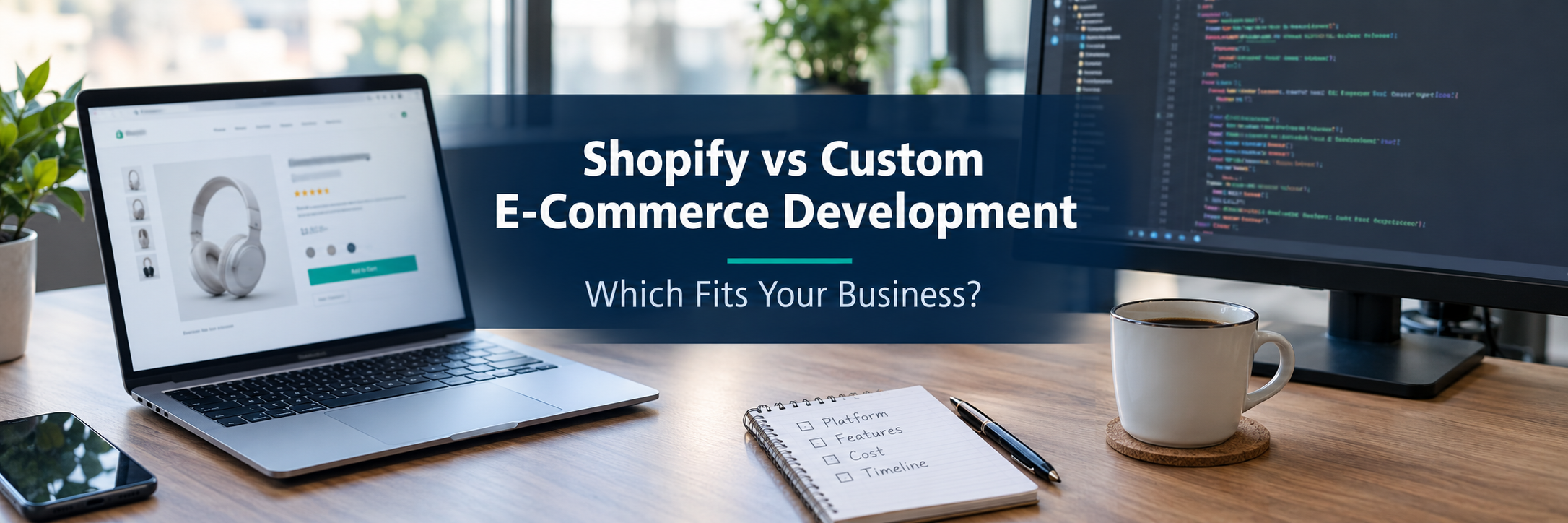
Quick Answer: Shopify is a managed commerce platform that lets businesses launch quickly using themes, apps, and APIs. Custom e-commerce development builds a tailored solution with selected technologies. Shopify often suits startups and growing retailers. Custom development may suit complex workflows, unusual business logic, or deep system integration needs that platform options cannot meet.
Choosing an e-commerce platform is a business decision first and a technical decision second. The platform you pick affects how fast you launch, how much you spend, how your team works every day, and how easily you can change direction later.
Many business owners frame the choice as "Shopify or custom." In practice, the picture is wider. Shopify can be customized deeply. Custom builds often rely on third-party platforms, frameworks, and managed services. This guide explains both approaches in plain language so you can match the right one to your goals.
What Is the Difference Between Shopify and Custom E-Commerce Development?
Shopify is a hosted, managed commerce platform. Shopify provides the store engine, hosting, checkout, and an admin area. You configure it, design it, and extend it with apps and development work.
Custom e-commerce development means designing and building a store around your own requirements. A development team selects the programming language, database, hosting, and third-party services. You own and manage more of the stack, along with the responsibility that comes with it.
The core trade-off is speed and managed convenience versus control and responsibility. Neither option is automatically more scalable, secure, or cost-effective. The outcome depends on architecture, implementation quality, and ongoing management.
The Main Differences at a Glance
| Area | Shopify | Custom E-Commerce Development |
|---|---|---|
| Initial development effort | Lower for standard stores, since core features exist | Higher, since features are planned and built |
| Time to launch | Often shorter for standard requirements | Often longer, depending on scope |
| Design flexibility | Strong through themes and Liquid templates, with some platform boundaries | Very high, limited mainly by budget and skill |
| Custom business logic | Possible through apps, extensions, and APIs within supported limits | Can be built directly into the system |
| Hosting and infrastructure | Managed by Shopify | Chosen and managed by you or your vendor |
| Maintenance responsibilities | Platform maintained by Shopify, while themes and apps need your attention | Your team maintains code, servers, and updates |
| Third-party integrations | App Store, APIs, and webhooks | Any system with an available API or connection method |
| Scalability considerations | Platform handles hosting scale, while custom code and apps can affect performance | Depends on architecture and infrastructure design |
| Platform dependency | Dependent on Shopify's rules, pricing, and roadmap | Less platform dependency, though third-party services still create dependencies |
| Long-term flexibility | Good within the ecosystem | High, with higher ongoing responsibility |
What Is Shopify E-Commerce Development?
Shopify e-commerce development is the work of setting up, designing, extending, and integrating a store on the Shopify platform. It includes theme customization, app configuration, custom app development, and connections to other business systems.
Shopify handles the platform foundation, including hosting, a checkout system, and core store management tools. Developers focus on the storefront experience, workflows, and integrations.
What Shopify Developers Typically Work On
- Shopify theme customization using Liquid, the platform's templating language.
- Selecting and configuring apps from the Shopify App Store.
- Building custom apps that use the Shopify Admin API and Storefront API.
- Connecting inventory, shipping, accounting, and CRM tools.
- Setting up payment methods and markets for different regions.
- Migrating products, customers, and orders from another platform.
Shopify Plus is a higher tier aimed at larger and more complex businesses. It includes additional capabilities, such as more checkout control and options for multiple stores. Features and availability can differ by plan and country, so confirm current details on Shopify's official pages.
What Is Custom E-Commerce Development?
Custom e-commerce development is the process of building an online store tailored to specific business needs. The team designs the architecture, selects technologies, and builds features such as catalogs, carts, checkout, and order management.
Custom does not mean everything is built from zero. Teams often combine frameworks like React, Next.js, Node.js, or Laravel with databases such as PostgreSQL or MySQL. They also use managed services for payments, search, email, and hosting. Stripe and PayPal are common payment options. Cloud platforms such as Amazon Web Services, Google Cloud Platform, and Microsoft Azure often handle infrastructure.
The result is a solution shaped around your workflows. The cost is that your team or vendor owns design decisions, security practices, testing, and maintenance.
How Does Shopify Work?
You choose a Shopify plan, add products, select a theme, and configure payments, shipping, and taxes. Shopify runs the hosting and the checkout. You manage orders and customers in the admin area.
When you need more, you extend the store in layers. First, you adjust theme settings. Next, you add apps for reviews, subscriptions, or loyalty programs. Beyond that, developers customize templates or build custom apps. For advanced storefronts, teams can use a headless approach, where a separate front end such as one built with React or Next.js communicates with Shopify through its APIs.
Checkout deserves a special note. Shopify limits how deeply checkout can be changed, and the available options depend on your plan and the platform's supported extension methods. Review current checkout customization rules before committing to a design that depends on them.
How Does Custom E-Commerce Development Work?
A custom project usually starts with discovery. The team documents business requirements, user journeys, and integrations. Next come architecture decisions, UI/UX design, development, testing, and deployment.
After launch, the work continues. Software maintenance, security updates, backups, monitoring, and new features all need ongoing budget. DevOps practices such as automated testing and deployment pipelines help keep releases safe and predictable.
Typical Stages of a Custom Build
- Requirements gathering and technical planning.
- UI/UX design and prototype review.
- Development of catalog, cart, checkout, and admin tools.
- Integration with payments, shipping, CRM, ERP, and accounting systems.
- Software testing, security review, and performance checks.
- Deployment, monitoring, and ongoing support.
Shopify vs Custom E-Commerce Development: Feature Comparison
The table below compares common capabilities. Treat it as general guidance. Specific features depend on the plan, apps, and implementation you choose.
| Feature | Shopify | Custom E-Commerce Development |
|---|---|---|
| Product management | Built-in catalog tools, with apps or APIs for complex product structures | Catalog model designed around your product data |
| Inventory management | Built-in inventory tracking across locations, with integrations for advanced needs | Custom inventory logic and direct warehouse system links |
| Checkout customization | Supported extension options that vary by plan | Full design control, with you responsible for security and compliance |
| Payment integrations | Shopify Payments where available, plus supported third-party gateways | Any gateway with an API, such as Stripe or PayPal |
| CRM and ERP integration | Apps, APIs, webhooks, or middleware | Direct, purpose-built integrations |
| SEO controls | Editable titles, descriptions, and redirects, with some fixed URL patterns | Full technical control, built and maintained by your team |
| Analytics | Built-in reports plus Google Analytics and other tools | Any analytics stack, with custom event tracking |
| Multi-language and multi-currency | Available through platform features and apps, depending on setup | Built to your exact regional and language rules |
| Automation | Native automation tools and apps, plus API-based workflows | Custom workflows and background jobs |
| Ownership and portability | Data export is possible, while the platform itself stays with Shopify | You hold the code and data, subject to licenses and third-party services |
How Much Does Shopify vs Custom E-Commerce Development Cost?
Shopify usually has lower upfront costs because the platform already exists. You pay for a subscription, a theme or design work, apps, and payment processing. Custom development usually has higher upfront costs because the whole system must be designed, built, and tested.
Upfront cost is only part of the story. Over several years, maintenance, hosting, integrations, and new features can shift the balance. Prices change by country, plan, and payment provider, so check Shopify's official pricing page and ask for detailed written quotes before deciding. This article does not list fixed prices because they change often and vary by project.
Cost Components Compared
| Cost Component | Shopify | Custom E-Commerce Development |
|---|---|---|
| Initial setup or development | Store configuration, theme setup, data import. Cost rises with customization. | Planning, design, engineering, and testing. Cost rises with scope. |
| Platform subscription | Recurring plan fee based on the selected tier | No platform fee, though software licenses may apply |
| Theme or UI/UX design | Free, paid, or custom theme options | Custom design is typical |
| Apps and extensions | Many apps charge monthly fees that add up | Features are built or licensed from third parties |
| Custom integrations | Prebuilt apps or custom API work | Built to order for each system |
| Hosting and infrastructure | Included in the platform plan | Cloud hosting, monitoring, and backups are paid separately |
| Payment processing | Processing fees, and extra transaction fees may apply when using some third-party gateways | Gateway processing fees apply |
| Security and testing | Platform security is managed by Shopify, while apps and theme code need review | Security reviews, penetration testing, and compliance work are your responsibility |
| Maintenance and upgrades | Theme updates, app reviews, and API version changes | Code updates, dependency patches, and feature work |
| Long-term total cost of ownership | Predictable recurring costs, with app creep to watch | Larger upfront cost and ongoing engineering costs |
Understanding Total Cost of Ownership
Total cost of ownership, or TCO, is the combined cost of building, running, maintaining, and improving a store over a set period. A three to five year view is a useful starting point.
Include these items in your estimate:
- Setup, design, and development.
- Monthly and annual platform fees.
- Premium themes, apps, and extensions.
- Payment processing and transaction-related fees.
- Integration and custom feature development.
- Hosting, infrastructure, and monitoring.
- Maintenance, support, testing, and security.
- Staff training and operational costs.
- Migration costs if you change platforms later.
- Risks from downtime or slow releases.
Return on investment, or ROI, should come from business outcomes. These include less manual work, a smoother customer experience, lower operating overhead, better data between systems, and room to grow. Neither approach guarantees a specific ROI or higher conversion rates.
A lower initial cost does not always mean a lower long-term cost. A higher initial investment does not automatically make a custom solution worthwhile.
Which Is Better for Your Business, Shopify or Custom E-Commerce Development?
Shopify is often a good fit when your needs match standard retail workflows and you want a faster, managed launch. Custom development may be a better fit when your business model, pricing logic, or integrations do not fit within a platform's supported options.
The right answer comes from your requirements, not from a general ranking. The sections below look at different business sizes and situations.
Business Type vs Recommended Approach
| Business Type | Often a Good Starting Point | What to Check |
|---|---|---|
| New startup validating a product idea | Shopify, for speed and lower upfront effort | Whether the product needs unusual features from day one |
| Small online retailer | Shopify, with a few well-chosen apps | Total monthly app costs and theme quality |
| Growing direct-to-consumer brand | Shopify or Shopify Plus, possibly with custom front-end work | Checkout needs, subscription features, and performance |
| Established retailer with complex workflows | Shopify with custom integrations, or a custom platform | ERP links, pricing rules, and order routing |
| B2B wholesale business | Shopify features or apps for simpler cases, custom for complex ones | Customer-specific pricing, approval flows, and credit terms |
| Enterprise with legacy systems | Custom or composable architecture, or Shopify with middleware | Integration depth, compliance, and internal engineering capacity |
| Multi-brand or multi-region business | Shopify Plus with multiple stores, or a custom multi-tenant platform | Shared catalogs, local tax rules, and reporting needs |
These are starting points, not rules. Final suitability depends on your specific requirements.
Which Option Is Better for Startups and Small Businesses?
Shopify is commonly a practical choice for startups and small businesses. It removes much of the infrastructure work, so founders can focus on products, marketing, and customer service.
Picture a founder launching a first store with thirty products. A Shopify theme, a payment setup, and a few apps could cover the basics. Spending months building a custom platform for the same store would delay learning from real customers. Custom development makes sense early only when the business model itself depends on unusual functionality, such as a multi-vendor marketplace with complex payout rules.
Which Option Is Better for SMEs and Growing Businesses?
Growing businesses often reach a stage where apps pile up and workflows become harder to manage. At this point, many teams review their app stack, consolidate tools, or invest in custom integrations rather than rebuilding from scratch.
Consider a retailer selling online and in physical stores. It needs live inventory across channels, accounting sync, and shipping automation. Shopify's APIs and integrations can handle many of these needs. If the workflows become very specific, a mix of Shopify and custom middleware may be more efficient than a full rebuild.
Which Option Is Better for Enterprise Businesses?
Enterprise needs vary widely. Shopify Plus supports larger merchants and offers APIs, automation tools, and options for multiple stores. Many large brands use managed platforms successfully.
Some enterprises have legacy systems, strict compliance rules, or highly unusual processes. In those cases, a custom or composable architecture may fit better. Imagine a company operating several brands across regions with different tax rules and a central ERP. The right answer could be Shopify with strong integration work, or a custom commerce layer. A requirements review and architecture comparison should decide it.
Customization and Design Flexibility
Shopify supports meaningful customization. Developers can edit themes, build custom sections, create apps, and use headless storefronts. Shopify's boundaries are mostly around checkout, backend logic, and platform-controlled areas.
Custom development removes many of those boundaries. You can design any user flow, any data model, and any checkout experience. That freedom adds design, testing, and security responsibility.
Good UI/UX design matters on both paths. Mobile commerce deserves special attention, because many shoppers browse and buy on phones. Clear navigation, fast pages, and simple checkout steps support conversion rate optimization, though no platform can promise specific conversion results.
What About Headless Commerce?
Headless commerce separates the customer-facing front end from the commerce back end. A team might build a storefront with React or Next.js and connect it to Shopify through its APIs. This can give design and performance flexibility without building a full commerce engine.
Headless also adds complexity. You maintain more code, more hosting, and more integrations. It is worth considering only when a standard theme cannot meet your experience requirements.
Scalability and Performance
Shopify manages hosting and infrastructure, which helps many merchants handle traffic changes without server planning. Performance can still suffer if a store loads too many apps, heavy scripts, or large images.
Custom platforms can scale well when designed well. Cloud services from AWS, Google Cloud, or Azure offer flexible capacity. Scalability is not automatic, though. It depends on database design, caching, code quality, and monitoring. A poorly built custom store can be slower and less reliable than a well-managed hosted platform.
Google's Core Web Vitals measure loading speed, interactivity, and visual stability. Both Shopify and custom stores can aim for good scores through careful image handling, lean code, and limited third-party scripts.
Which Option Is Better for Scalability, SEO, and Customization?
For scalability, SEO, and customization, neither platform wins by default. Shopify offers managed scale and quick setup, with customization inside supported limits. Custom development offers deeper control, with more work required to reach strong results.
Choose based on your actual needs. If standard features cover your plans, Shopify may be efficient. If your plans depend on unusual logic or architecture, custom work may be justified.
SEO and Organic Search Visibility
E-commerce SEO depends on content quality, site structure, page speed, and technical health. Platform choice matters, but it does not decide rankings.
Shopify provides editable page titles, meta descriptions, image alt text, redirects, and automatic sitemaps. Some URL structures are fixed, which can limit certain technical choices. Many merchants find these controls enough for solid SEO.
Custom builds give full control over URLs, rendering, and structured data. Schema.org markup for products, reviews, and breadcrumbs can be built exactly as needed. Your team must implement and maintain all of it. Tools like Google Search Console, Google Analytics, and Google Merchant Center help you monitor visibility and product feeds on either approach.
Integrations and Business Automation
Most stores need to connect with other systems. Common examples include payment gateways, shipping carriers, accounting tools, CRM, ERP, and warehouse software.
Shopify offers the App Store, REST and GraphQL APIs, and webhooks. Many integrations exist as ready-made apps. Complex ERP or warehouse workflows may need custom middleware. Custom platforms can connect to anything that offers an API, though each integration must be built, tested, and maintained.
Examples of Automation That Reduce Manual Work
- Syncing orders to an accounting system automatically.
- Updating inventory across online and physical channels.
- Routing orders to the nearest warehouse.
- Sending return labels and processing refunds through a set workflow.
- Using AI-powered product recommendations or chatbots for personalized shopping experiences.
Test integration quality before launch. Check how errors are handled, how often data syncs, and who supports each connection.
Security, Compliance, and Data Ownership
Shopify manages the platform infrastructure and states that it maintains PCI DSS compliance for its checkout. You are still responsible for strong staff passwords, careful app choices, and reviewing the permissions you grant to third parties.
Custom stores can be very secure, but security is a continuous responsibility. Teams should follow guidance such as the OWASP Top 10, patch dependencies, run regular tests, and keep backups. If you handle card data directly, PCI DSS requirements become a larger burden. Many custom stores reduce that burden by using hosted payment services from providers like Stripe or PayPal.
Data ownership works differently on each path. With Shopify, you can export key data, but the platform remains under Shopify's control. With custom development, you hold the code and data. Licenses and third-party services still create dependencies, so ownership is rarely absolute. Ask about data portability before you commit to either option.
Maintenance and Long-Term Support
Shopify handles platform updates and hosting. You still maintain your theme, review apps, and adapt to API version changes over time.
Custom stores need regular maintenance. That includes bug fixes, dependency updates, security patches, performance tuning, and new features. Without a support plan, small issues can grow into serious risks.
No platform removes maintenance entirely. The question is who does the work and how predictable the cost will be.
Advantages of Shopify
- Faster launch for standard store needs.
- Managed hosting and platform updates.
- A large app ecosystem for added features.
- Built-in tools for products, orders, and payments.
- APIs for integrations and headless storefronts.
- Predictable recurring platform costs.
Limitations of Shopify
- Checkout and backend customization has limits that depend on your plan.
- Many apps can increase monthly costs and slow the store.
- Some data structures and URL patterns are fixed.
- Advanced B2B or marketplace needs may require apps or custom development.
- You depend on Shopify's policies, pricing, and roadmap.
Advantages of Custom E-Commerce Development
- Business logic built around your exact workflows.
- Full control over design, data models, and user flows.
- Direct integration with legacy or specialized systems.
- Freedom to choose technologies and hosting providers.
- Potential for tailored multi-vendor, subscription, or B2B models.
Challenges of Custom E-Commerce Development
- Higher upfront investment and longer timelines.
- Ongoing responsibility for security, updates, and compliance.
- Need for skilled engineers, testers, and DevOps support.
- Risk of scope growth if requirements are unclear.
- Third-party services still create dependencies.
When Should You Choose Shopify?
Choose Shopify when your needs match standard commerce workflows, you want to launch quickly, and you prefer managed infrastructure. It also suits teams without in-house engineers.
- You are validating a new product or market.
- Your catalog and checkout needs are fairly standard.
- Available apps and APIs cover your integration needs.
- You want predictable platform costs and less technical overhead.
When Should You Choose Custom E-Commerce Development?
Choose custom development when your requirements cannot be met within a platform's supported options, and the business value justifies the added cost and responsibility.
- You need unusual pricing, approval, or fulfillment logic.
- You run a multi-vendor marketplace with complex rules.
- You must connect deeply with legacy systems.
- You need complete control over architecture and data.
- You have the budget and team to maintain the system long term.
Can You Combine Shopify with Custom Development?
Yes. Many businesses use Shopify for core commerce and add custom development where it matters. Examples include custom apps, a headless front end, or middleware that connects Shopify to an ERP.
This hybrid path can give flexibility without building a full commerce platform. It still adds complexity, so plan for integration testing, hosting costs, and ongoing support. Compare managed commerce, headless commerce, and fully custom architecture before deciding.
Common Mistakes to Avoid
- Choosing a platform before documenting requirements.
- Comparing only upfront costs and ignoring total cost of ownership.
- Installing too many apps without checking performance and fees.
- Assuming custom development is automatically more secure or scalable.
- Skipping data migration planning and redirect mapping.
- Underestimating testing, training, and maintenance.
- Ignoring mobile shopping experience and page speed.
- Failing to confirm plan limits, such as checkout options.
How Do You Choose Between Shopify and Custom E-Commerce Development?
Start with your requirements, not the platform. List what your store must do today and what it may need in two to three years. Then check which items Shopify handles natively, through apps, or through APIs.
If most requirements fit, Shopify is worth serious consideration. If key requirements do not fit, compare a hybrid or custom route using total cost of ownership over a defined period.
A Simple Decision Checklist
- What are your must-have features and integrations?
- Do you need custom pricing, approvals, or marketplace logic?
- What are your launch timeline and budget?
- Do you have in-house technical capacity?
- What are your security and compliance obligations?
- How important is data portability?
- What will the five-year cost look like for each option?
How to Choose the Right E-Commerce Development Company
A good development partner explains trade-offs honestly. They should be willing to recommend Shopify, custom development, or a hybrid, depending on your needs.
- Ask for relevant, verifiable experience with your business model.
- Request a clear scope, timeline, and written cost breakdown.
- Check their approach to testing, security, and documentation.
- Confirm who owns the code, accounts, and data after delivery.
- Ask about post-launch support and maintenance options.
- Review communication habits and project management methods.
- Be cautious of anyone promising guaranteed rankings or sales.
Future Trends in E-Commerce Development
Several trends are shaping online retail. None is a requirement for every store, and each should be judged by business value.
- Headless and composable commerce, where teams combine specialized services.
- AI-powered product recommendations, search, and chatbots.
- More personalized shopping experiences using first-party data.
- Greater focus on privacy, consent, and data protection.
- Stronger emphasis on mobile commerce and fast page performance.
- Wider use of business automation across orders, inventory, and support.
Conclusion - Shopify vs Custom E-Commerce Development
Shopify and custom e-commerce development solve different problems. Shopify offers a managed platform with strong customization options. Custom development offers deeper control with more responsibility.
The best choice depends on your business model, integrations, budget, technical capacity, and long-term plans. Many businesses begin with Shopify and add custom work later. Others need a tailored build from the start. Document your requirements, compare total cost of ownership, and choose the path that supports your goals.
FAQ
Question: What is the difference between Shopify and custom e-commerce development?
Answer: Shopify is a managed commerce platform where hosting, checkout, and core store tools are provided for you. Custom e-commerce development means building a tailored solution using chosen frameworks, databases, and services. Shopify usually offers faster setup and lower upkeep. Custom development offers more control over business logic but needs more planning, budget, and ongoing maintenance.
Question: Is Shopify better than a custom e-commerce website?
Answer: Neither is better for every business. Shopify works well when your needs fit its native features, apps, and APIs. A custom website can be a better fit when your workflows, pricing rules, or integrations are unusual. The right choice depends on your requirements, budget, technical capacity, and long-term plans.
Question: How much does Shopify vs custom e-commerce development cost?
Answer: Shopify costs usually include a plan subscription, a theme or design work, apps, and payment processing fees. Custom development costs include design, engineering, hosting, security, testing, and ongoing maintenance. Prices vary by country, plan, and scope, so check Shopify’s pricing page and request detailed quotes. Compare total cost of ownership over three to five years.
Question: How long does it take to build a Shopify store compared with a custom e-commerce website?
Answer: A Shopify store with a standard theme and a small catalog can often launch faster because core features already exist. Custom builds usually take longer because teams must plan, design, develop, and test each feature. Timelines depend on catalog size, integrations, design complexity, and how clearly requirements are defined before work begins.
Question: Is Shopify suitable for large and enterprise businesses?
Answer: Yes, it can be. Shopify Plus is designed for larger merchants, and its APIs support integrations and headless storefronts. Enterprises with very specific backend processes, legacy systems, or unusual checkout needs should review platform limits carefully. Some may still choose custom or composable architectures after assessing requirements.
Question: Which option provides more customization and flexibility?
Answer: Custom development generally offers more freedom because you design the architecture yourself. Shopify still supports significant customization through themes, apps, extensions, and APIs. The real question is whether your specific needs fit within Shopify’s supported options. If they do, Shopify may be flexible enough. If not, custom work may be justified.
Question: Which is better for e-commerce SEO, Shopify or custom development?
Answer: Both can support strong SEO when implemented well. Shopify provides editable titles, meta descriptions, URLs, and sitemaps, though some URL structures are fixed. Custom builds allow more technical control but require your team to handle structured data, speed, and crawlability. Results depend on content, site quality, and execution, not platform alone.
Question: Can Shopify integrate with CRM, ERP, and inventory management systems?
Answer: Yes. Shopify connects to many systems through its App Store, official APIs, and webhooks. Some integrations are ready-made apps, while others need custom middleware. Complex ERP or warehouse workflows may require development work. Check data sync frequency, error handling, and vendor support before choosing an integration approach.
Question: Is custom e-commerce development more secure than Shopify?
Answer: Not automatically. Shopify manages hosting and payment infrastructure, and states that it maintains PCI DSS compliance. Custom solutions can be secure, but your team or vendor must handle patching, testing, monitoring, and compliance. Security depends on architecture, code quality, third-party services, and ongoing management in both cases.
Question: How do I decide whether to use Shopify or custom e-commerce development?
Answer: List your must-have features, required integrations, budget, launch timeline, and team capacity. Check whether Shopify’s native features, apps, and APIs cover those needs. If most are covered, Shopify may be efficient. If key requirements are not, compare custom or hybrid options using total cost of ownership over several years.